7 Fake Job Offer Red Flags You Shouldn’t Ignore
Fake job offers are getting harder to spot.
The emails look cleaner. The recruiter messages sound more professional. The “remote job” sounds just believable enough. And now that AI can help scammers write better messages, your old “that looks fake” radar may need backup.
That does not mean you need to panic.
It means you need to verify.
Because before you click a link, reply to a recruiter, apply for a job, sign anything, download an attachment, or send over personal information, you need to know what you are actually looking at.
Prefer to watch instead of read? Watch the full video below.
Why fake job offers are a bigger problem now
Job searching was already doing enough.
You are updating your resume, applying to roles, reading job descriptions that say everything and nothing at the same time, trying to figure out if the salary is real, and waiting for companies to respond, like they did not just ask you to upload your resume and then manually retype your entire work history.
And now, on top of all that, you have to ask:
Is this job even real?
That is not paranoia. That is the current internet.
In 2024, the FTC reported $12.5 billion in total fraud losses. Business and job opportunity scams accounted for hundreds of millions in reported losses, and job and employment agency scam losses reached $501 million.
So no, this is not just people being dramatic online.
People are losing real money.
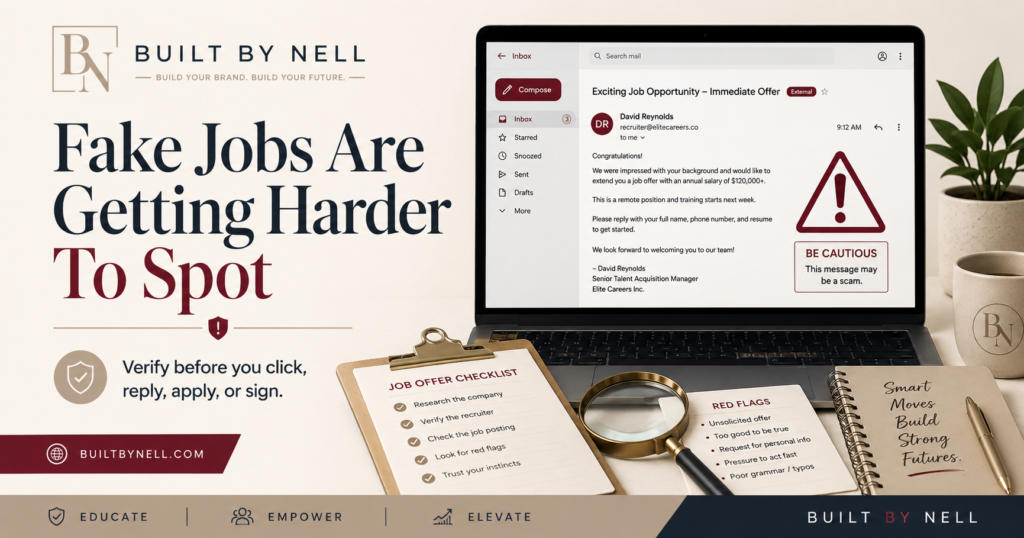
AI did not invent scams. It just gave them better grammar.
Scams are not new.
Fake jobs are not new.
Sketchy recruiters are not new.
Fake brand deals are not new.
But AI has made some of this mess look more official.
The typos are no longer there. The emails can sound normal. The fake job descriptions can look polished. The outreach can feel personalized. The brand deal pitch can sound like a real campaign.
That is why “it looks professional” is no longer enough.
Professional-looking does not mean verified.
A logo does not mean legitimate.
A good email signature does not mean safe.
And a recruiter sounding confident does not automatically mean they work for the company they claim to represent.
Fake job offer red flags to watch for
Before you get excited about a job offer, slow down and check the basics.
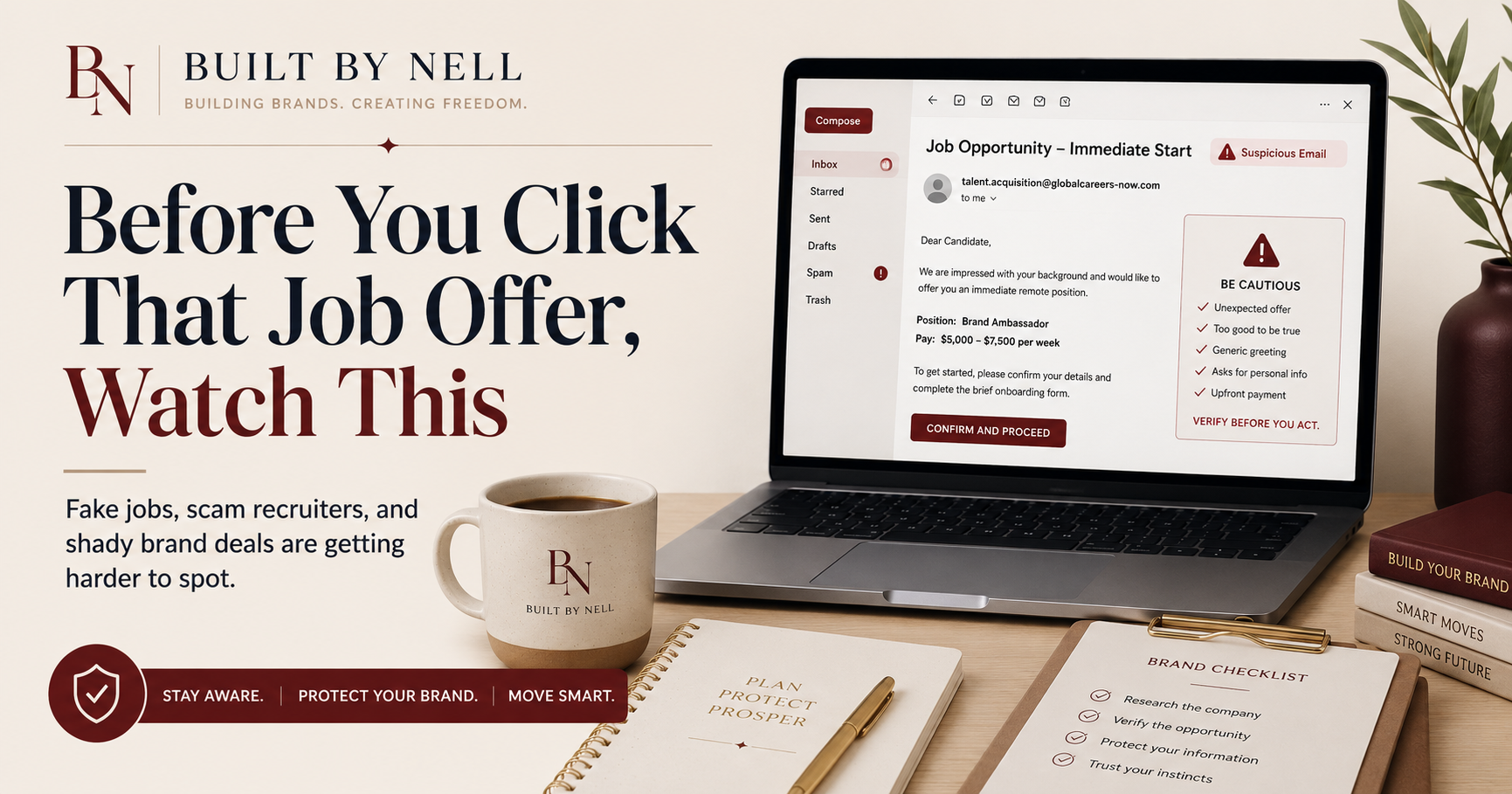
A fake job offer may show up with red flags like:
High pay for vague work
A job that is not listed on the company’s official careers page
A recruiter using a personal email address instead of a company domain
A text-only interview with no real conversation
Pressure to move to WhatsApp, Telegram, Signal, or random messaging apps
Requests for your Social Security number, bank information, ID, or personal details too early
A check sent to buy equipment
A request for upfront payment
A rushed offer before a real interview process
One red flag does not always mean something is fake. Sometimes companies are just messy. We have seen enough of that.
But several red flags together?
That is when we pay attention.
Fake recruiters can look real too
A fake recruiter may use the name of a real company.
That is what makes it tricky.
The company may exist. The job may sound believable. The person may use normal recruiting language. But that does not mean the person contacting you is actually connected to that company.
Before you respond, check:
Can you find the job on the company’s official careers page?
Does the recruiter’s email match the company domain?
Can you find the recruiter on LinkedIn?
Does their profile look real and active?
Are they avoiding basic questions?
Are they pushing you to click a link before giving details?
Are they asking for sensitive information too early?
A real recruiter can answer normal questions.
A real opportunity can survive a reasonable verification step.
If someone gets weird because you ask basic questions, that is information.
Use it.
Creators need to verify brand deals too
This is not only a job seeker problem.
Creators, business owners, and side hustlers need to pay attention too.
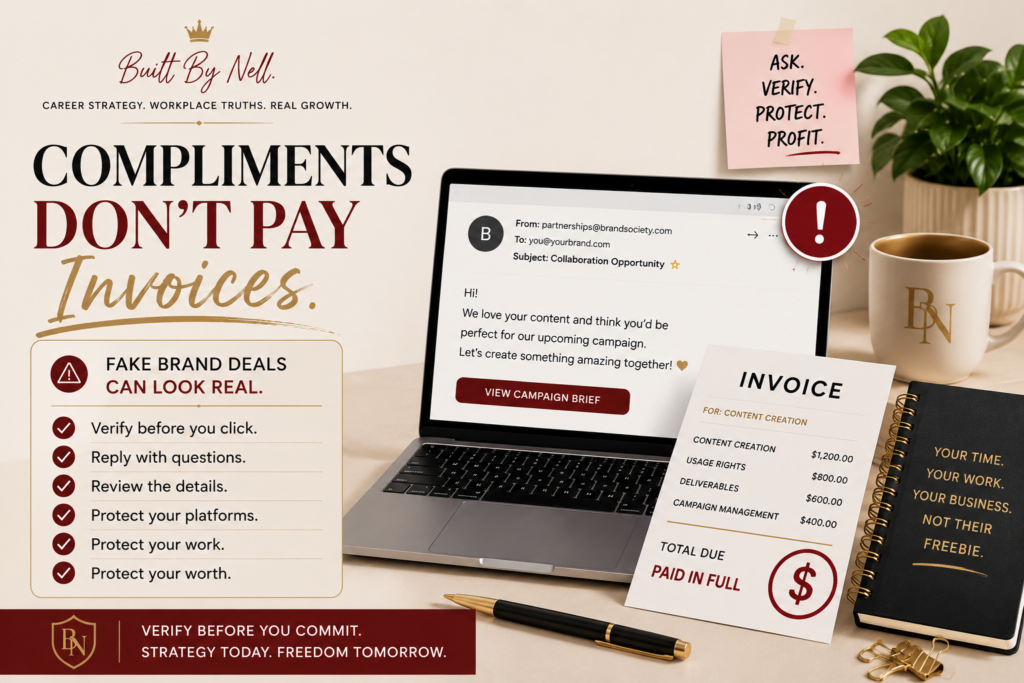
Fake brand deals are getting slick. And I get it. When a brand says, “We love your content,” it feels good.
Especially when you are trying to monetize.
But compliments do not pay invoices.
Before you click the brief, download the attachment, send your media kit, or agree to anything, check the basics:
Is the email coming from a real brand or agency domain?
Did they explain the campaign clearly?
Did they mention budget?
Are the deliverables clear?
Are usage rights clear?
Are payment terms clear?
Are they asking for login access?
Because no brand needs your password.
No agency needs your login code.
Protect your platforms like assets, because they are assets.
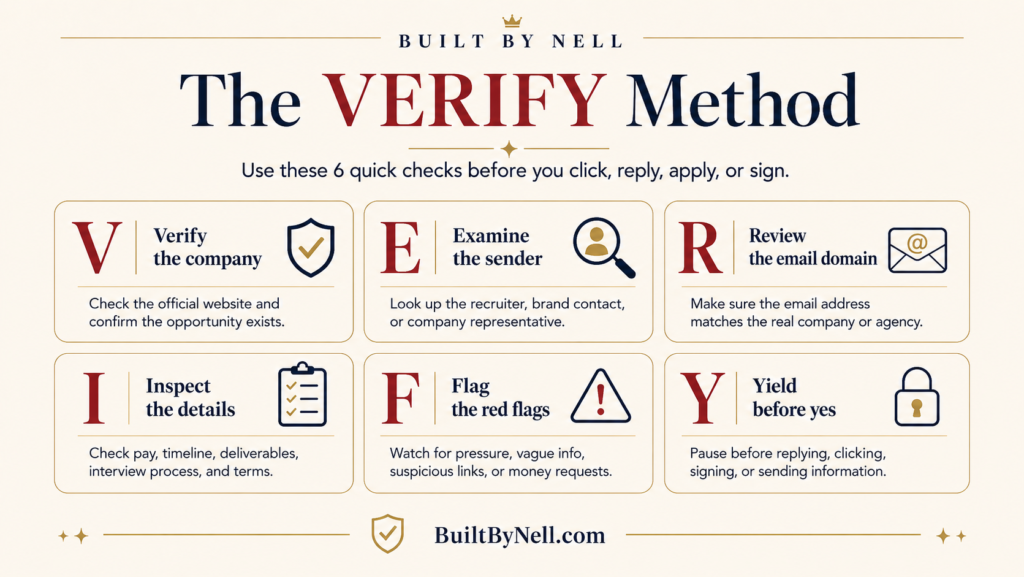
Use the VERIFY Method before you move forward
This is why I created the free Opportunity Verification Checklist.
It gives you a simple way to check an opportunity before you click, reply, apply, sign, send information, or create unpaid work.
The checklist walks you through the VERIFY Method:
Verify the source
Examine the offer
Research the contact
Inspect links and files
Follow the money
Yield before yes
That last one matters.
Yield before yes means pause before responding from excitement, fear, desperation, pressure, or flattery.
Because that is where people get caught.
Not because they are stupid.
Because they are hopeful.
And scammers know that.
What to do before you click
Before you click anything connected to a job offer, recruiter message, brand deal, collaboration request, or “quick money” opportunity, run a quick check.
Ask yourself:
Did I verify the sender’s email domain?
Did I search the person’s name and company?
Did I verify the company from a new tab?
Did I find the role or campaign on an official site?
Did I check for scam reports?
Did I review pay, deliverables, timeline, and terms?
Did I avoid suspicious links and unverified attachments?
Was I asked to pay money up front?
Was I asked to deposit or return money?
Was I asked for passwords or login codes?
Did I pause before replying?
And if it still feels off, you are allowed to walk away.
You do not have to convince yourself to ignore your own common sense because something sounds exciting.
Already clicked or sent information?
First, do not spiral.
But do move quickly.
Stop contact immediately.
Screenshot everything.
Save emails, messages, links, and contact details.
Report suspicious activity to the FTC at ReportFraud.ftc.gov and to the FBI’s IC3 at IC3.gov.
If you shared banking or payment information, contact your bank immediately.
If you shared your login information, change your password and enable two-factor authentication.
If you shared personal identification details, monitor your accounts and consider identity protection steps.
This is not about shame.
This is about damage control.
Download the free Opportunity Verification Checklist
I created the Opportunity Verification Checklist because we all need a simple way to slow down and check the details.
Use it before you:
Click a suspicious link
Reply to a recruiter
Apply for a job that feels too good to be true
Download a brand deal brief
Sign anything
Send personal information
Create unpaid work
Move forward with an opportunity you cannot verify
Inside the free checklist, you will get the VERIFY Method, red flags for fake jobs, scam recruiters, and shady brand deals, copy-paste verification templates, a quick decision check, and what to do if you already clicked or sent information.
You are not being paranoid.
You are being prepared.
There is a difference.
Keep building, but move smarter
AI is changing how we search, how we work, how we build online, and how people fake opportunities.
That does not mean we stop creating.
It does not mean we stop applying.
It does not mean we stop building.
It means we move with more strategy.
Verify before you click.
Ask questions before you respond.
Protect your information before you send it.
And stop treating every polished email like proof that the opportunity is real.
If you want more career, workplace, and business-building lessons, visit BuiltByNell.com and join the newsletter.
Sources
Source note: Data points referenced in this post are current as of 6/10/26 and based on FTC 2024 fraud reporting data and the FBI IC3 2024 Internet Crime Report.