How I Use Opus Clip to Turn Old YouTube Videos Into Reels & Shorts
This post contains affiliate links. If you sign up through my link, I may earn a commission at no additional cost to you.
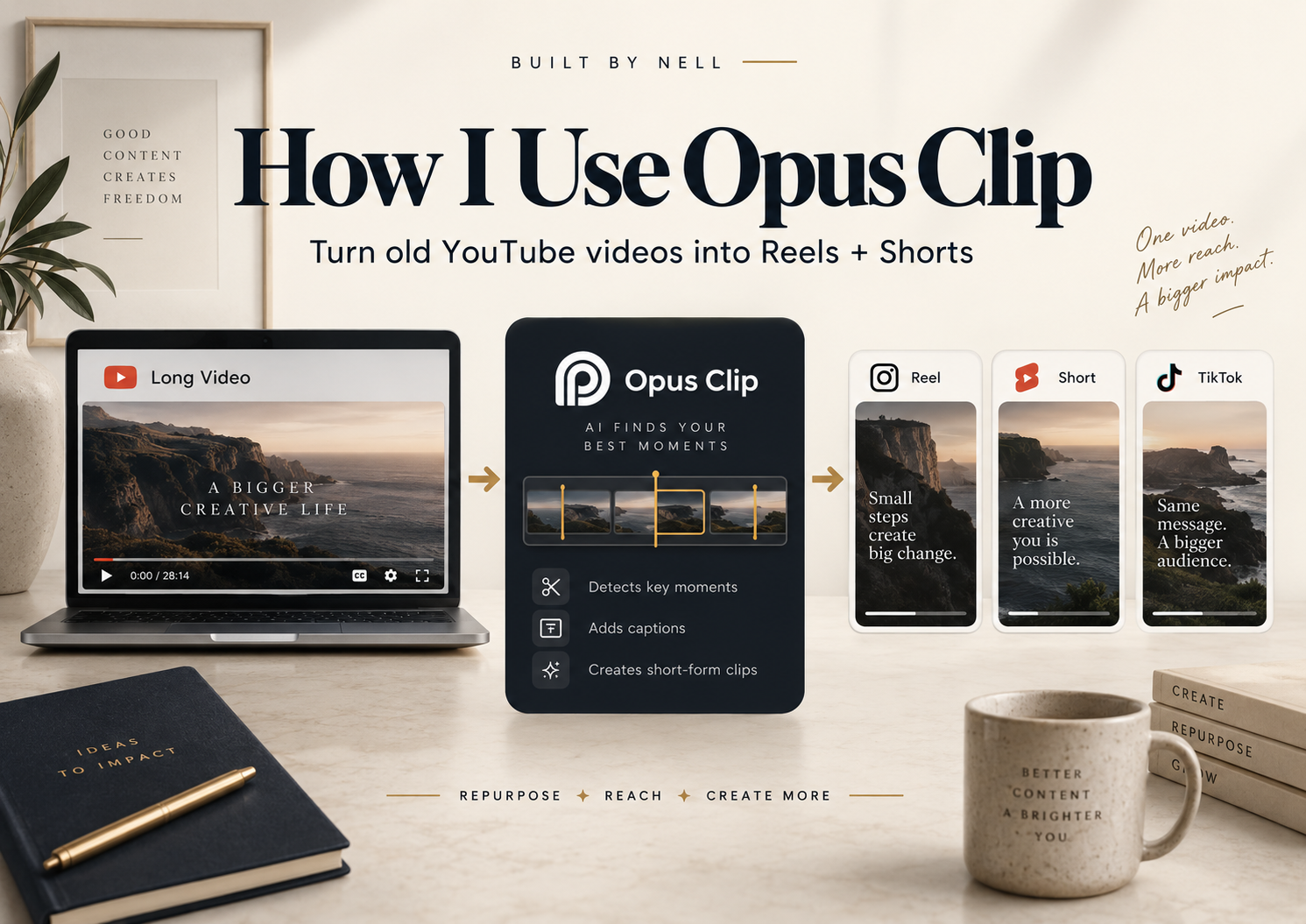
This is how to use Opus Clip the way I actually use it, not a feature tour. A few weeks ago I had one of those days where I did not feel well and did not have it in me to film anything new. But I still wanted to show up for Built By Nell. So instead of forcing a filming day, I went back through my old NaturallyNellzy YouTube library and used Opus Clip to turn a couple of long-form videos into short-form content.
That one low-energy day turned into a genuinely useful experiment in how to use Opus Clip well, not just how to use it at all. It fits into the same lower-edit, more-sustainable approach I wrote about in how I stay consistent with content creation. Here is exactly what I did, what worked, and what I would tell you to watch out for.
How to Use Opus Clip: What It Actually Helped Me Do
Opus Clip is an AI video tool that takes a long video and pulls out short-form clips from it, the kind you’d post as a Reel, a TikTok, or a YouTube Short. You upload or link a long-form video, and it scans the footage for moments it thinks are worth turning into a clip.
I am not going to walk you through every feature. The two things that actually mattered for how I used it were ClipAnything and the Include specific moments prompt field, so that is where I’m spending most of this post.
The Feature That Changed How I Use It
The first time I used Opus Clip, I let it decide what was “viral” on its own. The clips it picked were fine, but they were not necessarily the story I would have told.
What changed things for me was ClipAnything, specifically the Include specific moments field. Instead of asking the AI to guess what’s interesting, I tell it directly what story I want it to find. That one shift made the results far more usable.
See How I Use Opus Clip
Here’s a real example of this workflow in action, repurposing one of my own long-form videos into a short.
Real Example: Repairing a Cat Tree, Turned Into Short-Form Content
The first video I repurposed was an older NaturallyNellzy tutorial about repairing a worn cat tree scratching post by rewrapping it in sisal rope instead of replacing the whole cat tree.
Instead of letting Opus guess, I used the Include specific moments field to tell it exactly what story I wanted:
- the damaged, worn-down post (the problem)
- the inexpensive fix instead of buying a new cat tree
- cutting off the old rope
- the hot glue and wrapping process (the strongest repair steps)
- my tip about pushing the rope upward so the coils stay flush (the biggest tip)
- the finished result and the money saved
I also told it to skip my long YouTube intro entirely. Opus still generated multiple clip options even though I asked for one, so I still had to sit down and pick the strongest cut myself. The prompting got me 90% of the way there, but it did not do the last 10% for me.
Real Example: Turning an Old HR Layoff Video Into Built By Nell Content
The second video was an older NaturallyNellzy video about being laid off after more than 10 years in HR. That video was made for a different audience and a different purpose, so a generic “here’s my layoff story” clip would not have fit Built By Nell at all.
Instead, I used the same specific-moments approach and told Opus to find the section where I talk about pivoting, rebuilding, and creating multiple income streams after the layoff. That let me pull a piece of content that already existed and reposition it for the audience I’m building here, without re-recording anything. It’s a small example of how I delegate tasks with AI without handing over the actual decisions.
Here’s that same repurposing process applied to a completely different kind of video, turning an old layoff story into content for this audience.
What I Like, and What I’d Watch Out For
Being honest about this, because that’s the only way an affiliate post like this is worth writing:
- It genuinely saves time finding usable moments inside long videos, instead of scrubbing through footage yourself.
- Specific prompting makes a real difference. Telling it what story you want gets noticeably better results than asking it to find “viral” moments on its own.
- It can return a lot of options. That’s useful, but it also means you can’t just take the first thing it hands you and post it.
- The first cut, and the auto-generated headline, are not automatically the best one. I still review and choose.
- You still need human judgment. Opus Clip speeds up the process, it doesn’t replace the decision-making part.
The Real Takeaway
If you’ve been creating long-form content for a while, you may already be sitting on more short-form content than you realize. You don’t need to film something new every time you want to post. Sometimes the fastest content day is the one where you go back through what you’ve already made and look at it differently. That’s really the whole case for learning how to use Opus Clip in the first place.
That’s exactly what turned a day I didn’t feel like filming into a useful batch of short-form content instead of a day off from posting entirely.
Build it. Test it. Teach it.